
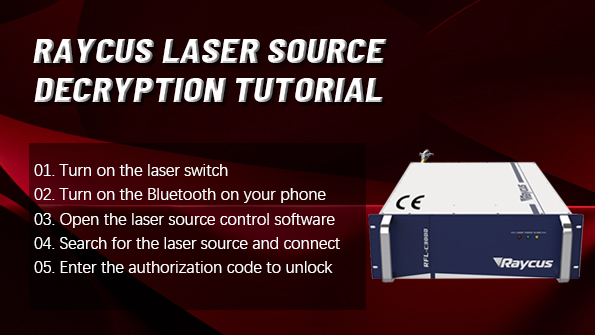
In metal fiber laser welding equipment, the laser source functions as the core component and power heart of the entire system.
Taking the Raycus fiber laser as an example, some welding machines require laser source unlocking and license authorization during first-time commissioning, system replacement, or
parameter permission adjustment. Without proper authorization, the laser may fail to emit output or operate normally.
To help users complete the process efficiently and safely, this article provides a detailed explanation of the complete unlocking procedure, key precautions, and post-setup checks for Raycus
laser sources.
FIRST Why Is Laser Source Unlocking Required?
Raycus laser sources are typically delivered with built-in license protection mechanisms, which are designed to:
Prevent damage caused by improper operation
Ensure safe use of the laser system
Restrict unauthorized access to software and parameter settings
Maintain compatibility and stable communication between the laser source and the overall system
Laser unlocking or re-authorization is usually required in the following situations:
Initial installation and commissioning of a new machine
Replacement or repair of the laser source
Upgrade or replacement of the control system
Laser parameters are locked and cannot be modified
SECOND Detailed Steps for Raycus Laser Source Unlocking
Before starting, please ensure that all electrical connections are correct, the power supply is stable, and the operation is performed by qualified technical personnel.
Step 1: Power On the Laser Source
Confirm that the main power of the welding machine is turned on, then switch on the laser source power to place the laser in standby mode.
Step 2: Enable Bluetooth Communication
Enable the Bluetooth function via the control panel or external device to ensure the laser source can be detected by the control software.
Step 3: Launch Raycus Control Software
Run the Raycus laser control software on the industrial PC or commissioning terminal and enter the main interface.
Step 4: Search for the Laser Device
Click “Device Search” in the software. The system will automatically scan for available Raycus laser sources.
Step 5: Connect to the Laser Source
Select the corresponding laser model from the search results and click “Connect” to establish communication.
Step 6: Enter the Laser License Code
Input the correct Laser License Code on the authorization interface.
The license code is typically provided by the equipment manufacturer or Raycus official support and is unique to each laser source.
Step 7: Click “Set”
After confirming the license information is correct, click “Set” to write the authorization data into the laser source.
Step 8: Confirmation of Successful Setup
When the software displays “Setup Successful”, the unlocking process is complete, and the laser source is fully authorized for normal operation.
THIRD Post-Unlocking Inspection Checklist
After successful unlocking, the following checks are recommended:
Verify that the laser status is displayed as “Normal”
Confirm that output power parameters can be adjusted properly
Perform a welding test to ensure stable laser emission
Check that communication between the control system and the laser source is stable
If any abnormal conditions are detected, stop operation immediately and contact technical support.
FOURTH Important Precautions (Read Carefully)
The laser source is a high-value and critical component. Please observe the following precautions:
Unlocking should only be performed by trained professionals
Do not attempt to use unknown or unauthorized license codes
Do not power off the system or forcibly close the software during the process
Avoid using non-official or incompatible control software versions
If unlocking fails, do not repeat attempts excessively—contact the laser equipment supplier promptly
Conclusion
Unlocking a Raycus fiber laser source is a straightforward process, but standardized operation and safety awareness are essential.
Correct execution not only ensures stable operation of the welding metal laser machine but also helps extend the service life of the laser source, providing a solid foundation for consistent,
high-quality welding performance.
Post time: Feb-05-2026

